Integrations Overview
Creator integrations live mainly under Manage Portal > Settings. Member account links live under Resources > My Profile > Security > Connected Accounts.
PayBru connects to the tools creators already use to run a community, take payments, and give members access.
Journey in This Video
- What the video shows: creator integrations in Manage Portal settings and member account links under Connected Accounts.
- Who it is for: creators connecting community tools and members linking personal accounts.
- Where to start: creators open Settings > Integrations; members open Resources > My Profile > Security > Connected Accounts.
- What to do next: connect only the services the community uses, then confirm any member account links needed for access.
Released integrations and linked services


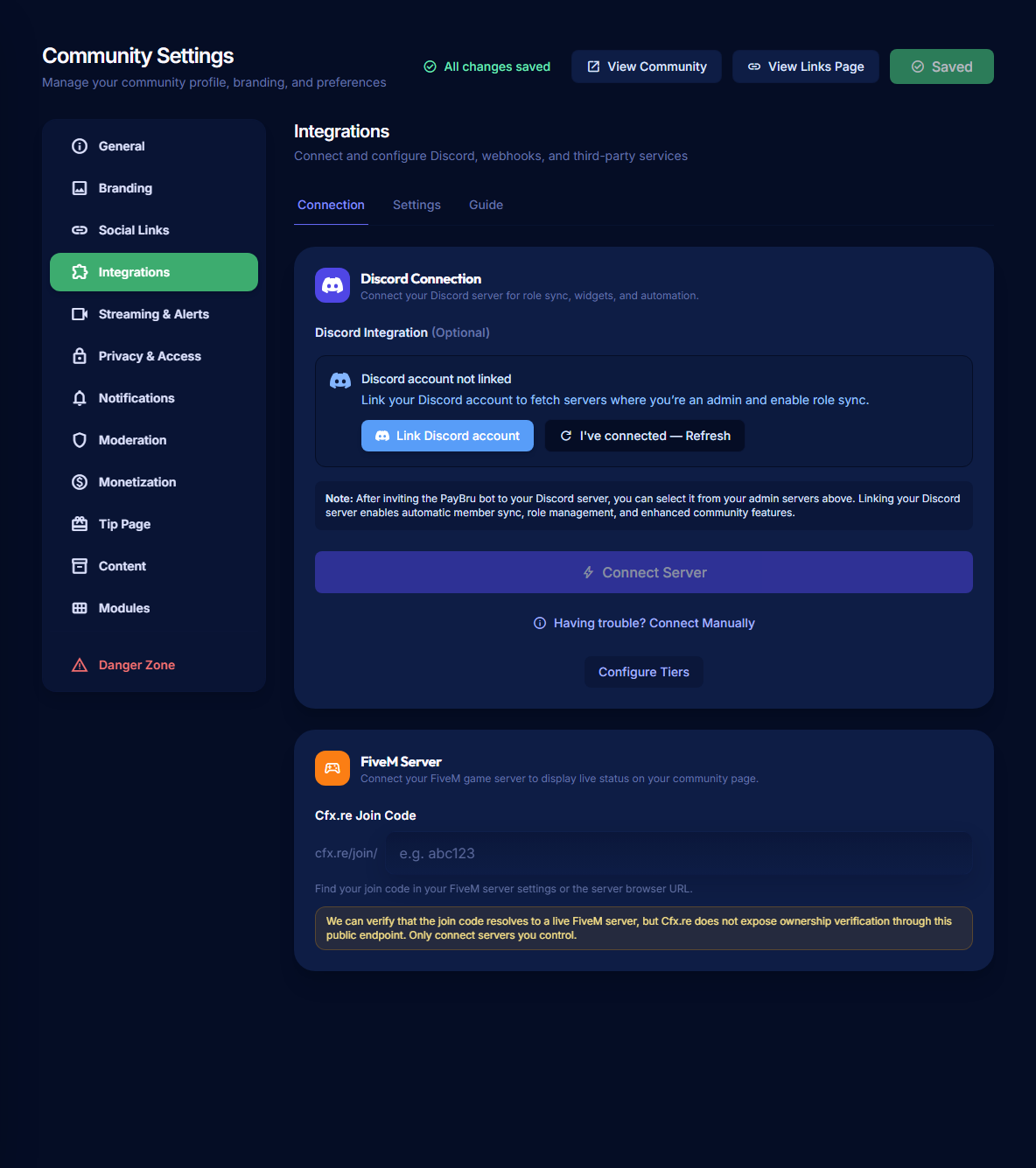
For Discord role access, make sure the member has a linked Discord account, the creator has connected a Discord server, the PayBru bot is active, and each tier has the right mapped role.
Main Integrations
Assign mapped Discord roles when members join, upgrade, downgrade, cancel, or lose access.
Show public links for websites, social profiles, Twitch, Kick, YouTube, Spotify, Mixcloud, and Discord invites.
Show tip, membership, and gift alerts in OBS, Streamlabs, or similar streaming software.
Let users link Google, Discord, Twitch, Kick, Spotify, and TikTok to their PayBru account.
Paystack handles ZAR payments, while PayBru tracks payout readiness for creators.
Discord Setup Path
Add the PayBru bot from Settings > Integrations and confirm the server is connected.
Use the Discord step in the tier wizard to select the role PayBru should assign.
Members connect Discord under Resources > My Profile > Security > Connected Accounts.
The mapped role applies once the linked Discord account is in the creator's server.
Creator Setup Order
- Create your community.
- Add your public links and stream accounts.
- Set up membership tiers.
- Connect Discord if members should receive server roles.
- Create a browser source if you want live stream alerts.
- Complete payout requirements before requesting your first payout.
Member Setup Order
- Create or sign in to a PayBru account.
- Join the creator community.
- Connect Discord if the community uses role access.
- Keep payment details current.
- Check invoices, statements, and support requests from the Client Portal.
What Is Built In?
Payment processing, invoices, statements, payout tracking, and notifications are part of the normal PayBru flow. You do not need to install anything extra to use them.
Discord, stream alerts, social links, and connected services need setup because they depend on outside accounts or tools.