Running Events
Members find your events under My Activity > My Events and add them to their calendar in one click.
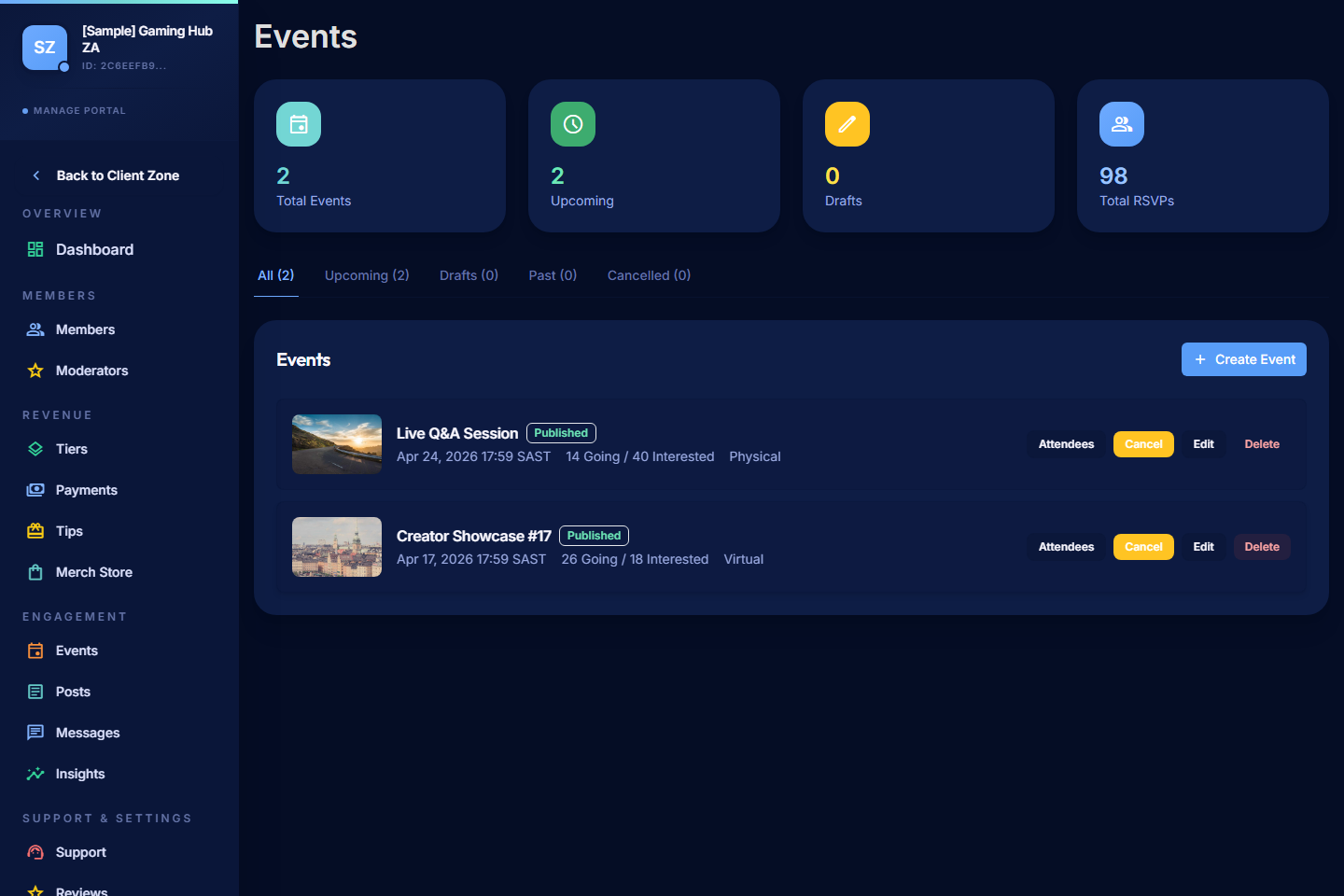
Use Events in the Manage Portal to plan live sessions, meetups, watch-alongs, workshops, or any other gathering for your community.
Open Events
- Open the Manage Portal.
- Select Events.
Event Types
PayBru supports three event types:
| Type | Use it for |
|---|---|
| Virtual | Online sessions via Zoom, Google Meet, Microsoft Teams, or Discord voice/stage. |
| In-person | Physical meetups with a venue and address. |
| Hybrid | Both at once — physical attendees plus a live stream link. |
Each event includes a date, start time, timezone, description, and an access level (public to anyone, members-only, or locked to a specific tier).
Create an Event
- Select Create Event.
- Enter:
- Title and description.
- Date, start time, and timezone.
- Event type (virtual / in-person / hybrid).
- For virtual: the meeting URL (Zoom, Meet, Teams, or Discord channel link).
- For in-person: the venue name and physical address.
- Choose the access level: public, members-only, or a specific tier.
- Set capacity if you need to cap attendance.
- Set ticket pricing if it's a paid event, or leave free for included-with-membership.
- Save or publish the event.
When you publish, the event becomes visible to eligible members, and RSVPs open.
Track RSVPs
For each event you can see:
- Going count — members who confirmed attendance.
- Interested count — members tracking the event but not yet committed.
- Capacity usage if you set a cap.
Members can also download a calendar invite (ICS) straight from the event page, which adds it to Google Calendar, Outlook, Apple Calendar, or any other ICS-compatible calendar.
Reminders
PayBru sends automated reminders to RSVP'd members:
- 24 hours before the event.
- 1 hour before the event.
Reminders go out through in-app notifications, email, and Discord (if connected).
Manage an Existing Event
- Edit the event if the time, link, venue, or description changes — members are notified of meaningful changes.
- Cancel an event when something falls through. Members are notified, and refunds run for paid events.
- Close RSVPs once the event is full or you no longer want new sign-ups.
Tips for Strong Events
- Start virtual if you've never run an event — fewer logistics, easier to fill.
- Be specific about time and timezone — "20:00 SAST" is clearer than "tonight".
- Tell people what to bring or expect — even for digital events ("have your mic ready").
- Follow up after — share the recording or a recap post for members who couldn't make it.
Events and Discord
If your community uses a Discord stage or voice channel for events, paste the channel link into the virtual event URL field. RSVP'd members get the link in their reminders.