Manage Portal Navigation
Manage PortalThis is the creator workspace for one community: members, tiers, content, revenue, support, and settings.
Open the Manage Portal from My Activity > My Communities, then use the left sidebar as your map.
The Manage Portal is where creators run their community. Each community has its own portal, and you switch between them from the Client Portal.
Open the Manage Portal
- Sign in to PayBru.
- Open My Activity > My Communities.
- Find the community you want to manage.
- Select Manage on the community card.
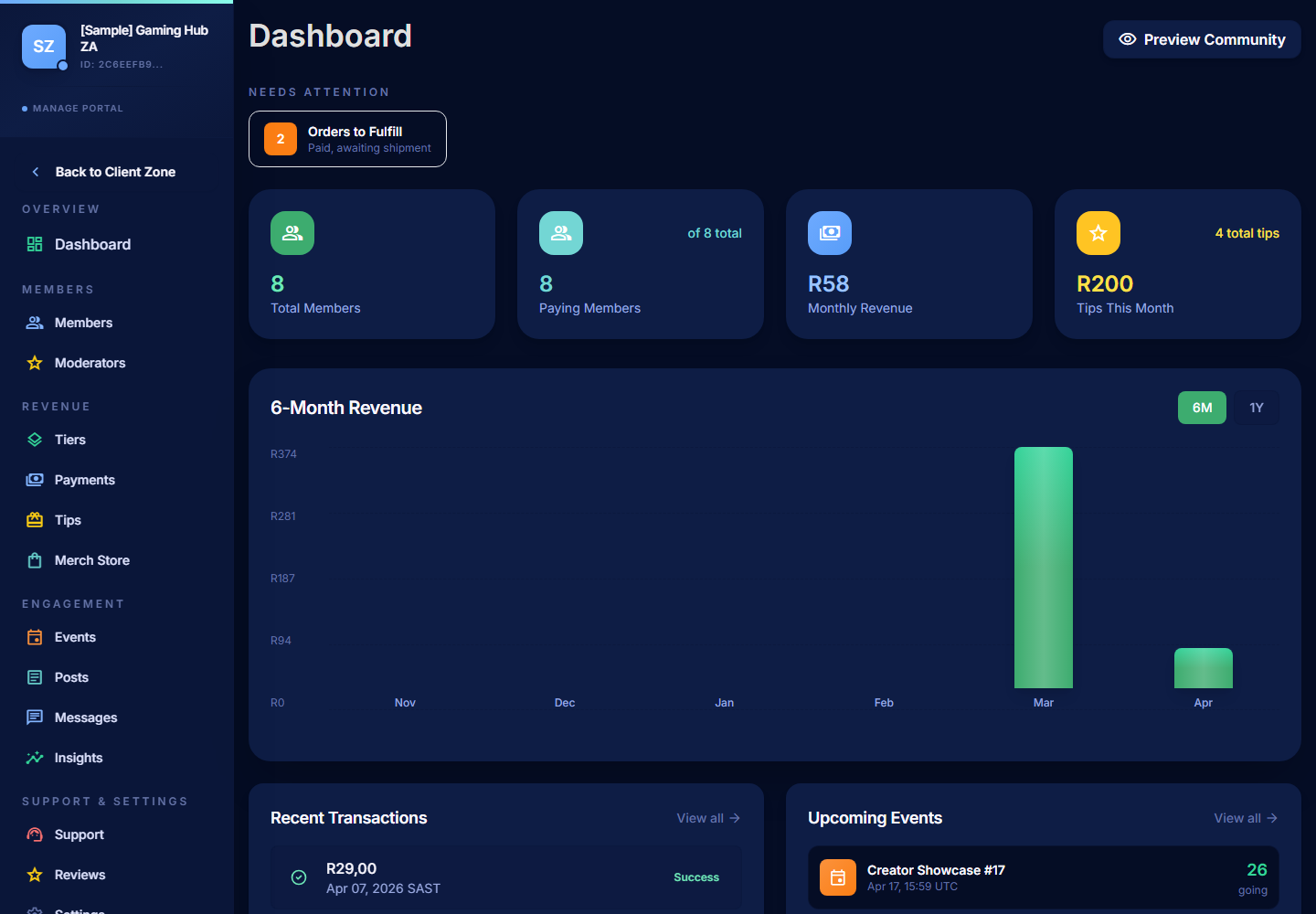
Main Areas
| Area | What you do here | More |
|---|---|---|
| Dashboard | Quick health check — members, revenue, recent activity. | – |
| Members | See and manage everyone in your community. | Managing Members |
| Moderators | Invite helpers with limited permissions. | Managing Moderators |
| Tiers | Create and edit membership levels and Discord role mappings. | Setting Up Memberships |
Revenue
| Area | What you do here | More |
|---|---|---|
| Payments | Review transactions, spot at-risk members, filter by status/date/member. | Managing Payments |
| Tips | Track Pay-a-Bru tips and share your tip page. | Managing Tips |
| Payouts | Check your balance, request payouts. | Payout Overview |
| Merch Store | Sell digital and physical products. | Using the Merch Store |
| POS / Counter | In-person sales at a stall, pop-up, or event. | Using POS / Counter |
Engagement
| Area | What you do here | More |
|---|---|---|
| Posts | Publish text, image, video, audio, and poll content. | Publishing Posts |
| Events | Create virtual, in-person, or hybrid events. | Running Events |
| Messages | Reach members one-on-one or broadcast to a tier. | Messaging Members |
| Insights | Revenue, growth, ratings, engagement. | Using Insights |
Support & Trust
| Area | What you do here | More |
|---|---|---|
| Support | View tickets and refund requests from members. | Support and Refunds |
| Reviews | Read, approve, and feature member testimonials. | Managing Reviews |
Settings
| Area | What you do here | More |
|---|---|---|
| Settings > Community | Name, handle, description, banner, avatar. | Configuring Community Settings |
| Settings > Modules | Turn community features on or off. | Configuring Community Settings |
| Settings > Integrations | Connect Discord and FiveM. | Connecting Discord |
| Settings > Streaming & Alerts | Stream embeds and browser source alerts. | Browser Source Alerts |
| Settings > Social Links | Public website and social profiles. | Social and Stream Links |
| Settings > Notifications | What you get notified about and on which channels. | – |
Common Quick Actions
- Preview Community at any time to see how visitors see your public page.
- Return to Dashboard when you're not sure where to go next.
- Use the left sidebar as your map — every major area lives there.
- Switch communities by going back to My Communities in the Client Portal.