Using Insights
InsightsRead the trends, not the daily wiggles — Insights surface revenue health, member growth, and engagement signals.
Check monthly, cross-reference with your posting cadence, and watch the renewal-vs-new-member balance.
Use Insights in the Manage Portal to track how your community is performing — revenue, growth, and engagement, all in one place.
Open Insights
- Open the Manage Portal.
- Select Insights.
Read the Top Metrics
The top cards give you the headline numbers without scrolling:
- Total members and paying members.
- Monthly revenue (gross and net).
- Active subscriptions and at-risk count.
- Average rating and recent review activity.
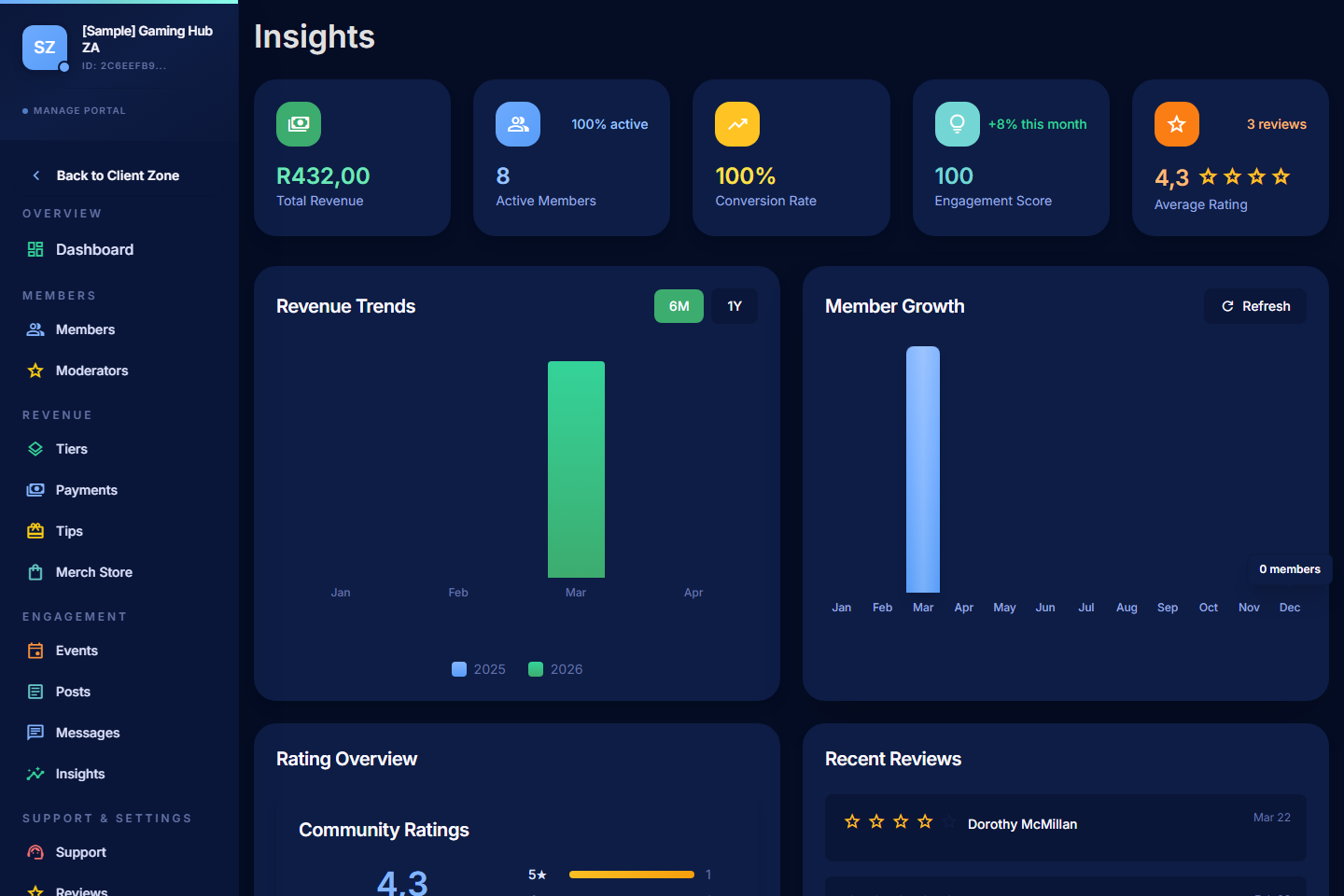
Review Revenue Trends
- Compare month-over-month revenue to spot momentum.
- Look at revenue by tier to see which level is driving growth.
- Watch for dips after price changes or paused posting cadence.
Review Member Growth
- Track total members and paying members over time.
- Pay attention to the conversion rate from free to paid where it's shown.
- Sudden drops often correlate with a content gap, a price change, or an outage on the creator's side.
Review Ratings and Recent Reviews
- Read the latest reviews — strong patterns surface fast.
- Look for repeated themes: are members saying the same thing again and again?
- Use 5-star reviews as testimonials on your community page where the member agreed to make them public.
Use Member Metrics
- Active vs Past Due counts tell you how healthy renewals are.
- Cancelled vs Ended counts tell you about churn — quiet churn is a leading indicator that your value isn't landing.
- Compare engagement (post views, event RSVPs) with revenue to spot what your most-valuable members actually use.
What to Look For
- Stable, gradual growth — usually a sign of a healthy community.
- Content peaks — which posts pulled the most signups? Do more of that.
- Pricing-change reactions — did a new tier launch boost or hurt your numbers?
- Renewal vs new-member balance — sustainable communities lean on renewals; if you're constantly losing and replacing, dig into why.
Tips
- Look at trends, not single days. One quiet day means nothing; a quiet month means something.
- Cross-reference with posting cadence. Active months almost always correlate with revenue stability.
- Use Insights monthly, not daily. Daily checking inflates anxiety without changing decisions.