Browsing Community Pages
Community pageA creator's PayBru page is one place for posts, events, tiers, store items, social links, live streams, and member actions.
Public posts show without a tier. Locked posts tell you which tier unlocks them, so you can join the right level the first time.
A creator's community page is the public hub for their PayBru community. Use it to decide whether to join, to keep up after you have, and to find everything the creator offers in one place.
Open a Community Page
- Open the creator's PayBru page directly.
- Use a link from the creator, a friend, or a post.
- Browse Resources > Discover in the Client Portal to find communities by category, language, or vibe.
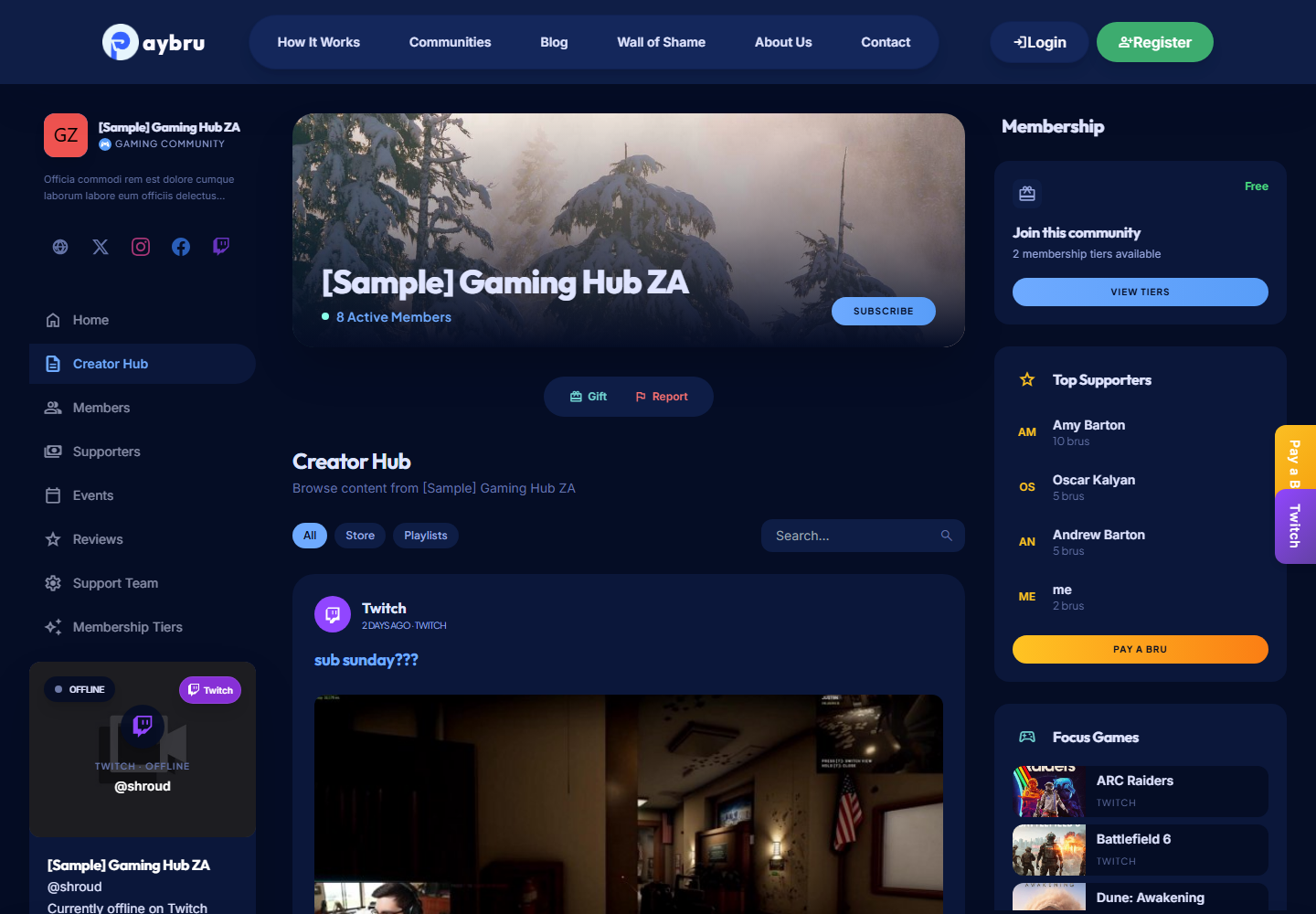
Use the Main Actions
The header gives you the quickest ways to interact with the community:
- Join a tier or upgrade if you're already a member.
- Send a tip through Pay-a-Bru.
- Open the Discord invite if the creator has connected one.
- Visit social links (Website, Twitter/X, Instagram, Facebook, YouTube, TikTok, Twitch, Kick, Mixcloud, Spotify, Threads, GitHub).
- See live stream if the creator is currently streaming on Twitch, Kick, or YouTube — an embedded player appears.
Browse Community Sections
Most community pages include:
- Home — the creator's default landing view with featured posts and live stream if any.
- Posts — text, image, video, audio, and poll posts (filtered by what your tier can see).
- Events — upcoming meetups, streams, or workshops you can RSVP to.
- Store — digital products and physical merch.
- Tiers — the full list of memberships, with prices and benefits.
- Playlists — grouped sets of content the creator has curated.
- Reviews — what existing members have said about the community.
Browse the Creator Hub
The creator hub area shows posts and playlists. Public posts are visible to anyone — locked posts show a lock icon with the tier required to unlock them.
- Read public posts first to get a sense of what the creator publishes.
- If a post is locked behind a tier, the page tells you which tier unlocks it.
- Once you join the right tier, locked posts and downloads open immediately.
Open Locked Content
If a section is locked:
- Join (or upgrade to) the right tier and access opens immediately.
- Make sure your membership is Active in My Memberships — locked content stays locked while a membership is Past Due or Ended.
Support the Creator
The simplest ways to support a creator:
- Join a paid tier — recurring revenue is the most valuable for creators.
- Buy a store product — one-off purchases that don't require a membership.
- Send a tip via Pay-a-Bru — quick, no commitment, often shown live on stream.
- Gift a membership to someone else — see Gifting Memberships.
- Leave a rating after you join — helps other South African members find the community.
Live Stream Indicators
When a creator is live on Twitch, Kick, or YouTube:
- The community page sidebar shows the embedded stream with title, category, viewer count, and live duration.
- Their card on the home page Live Now section highlights they're currently streaming.
- Platform badges use the platform's brand colour (Twitch purple, Kick green, YouTube red).