Using Your Dashboard
Client Portal > DashboardThe dashboard is a status check — glance daily, act weekly.
See active memberships, recent transactions, fresh posts, and any live streams across the communities you support, then jump in where you need to.
Your dashboard is the fastest place to see what's changed across the communities you support and where to go next.
Open the Dashboard
- Sign in to PayBru.
- Open the Client Portal.
- Land on the Dashboard page.
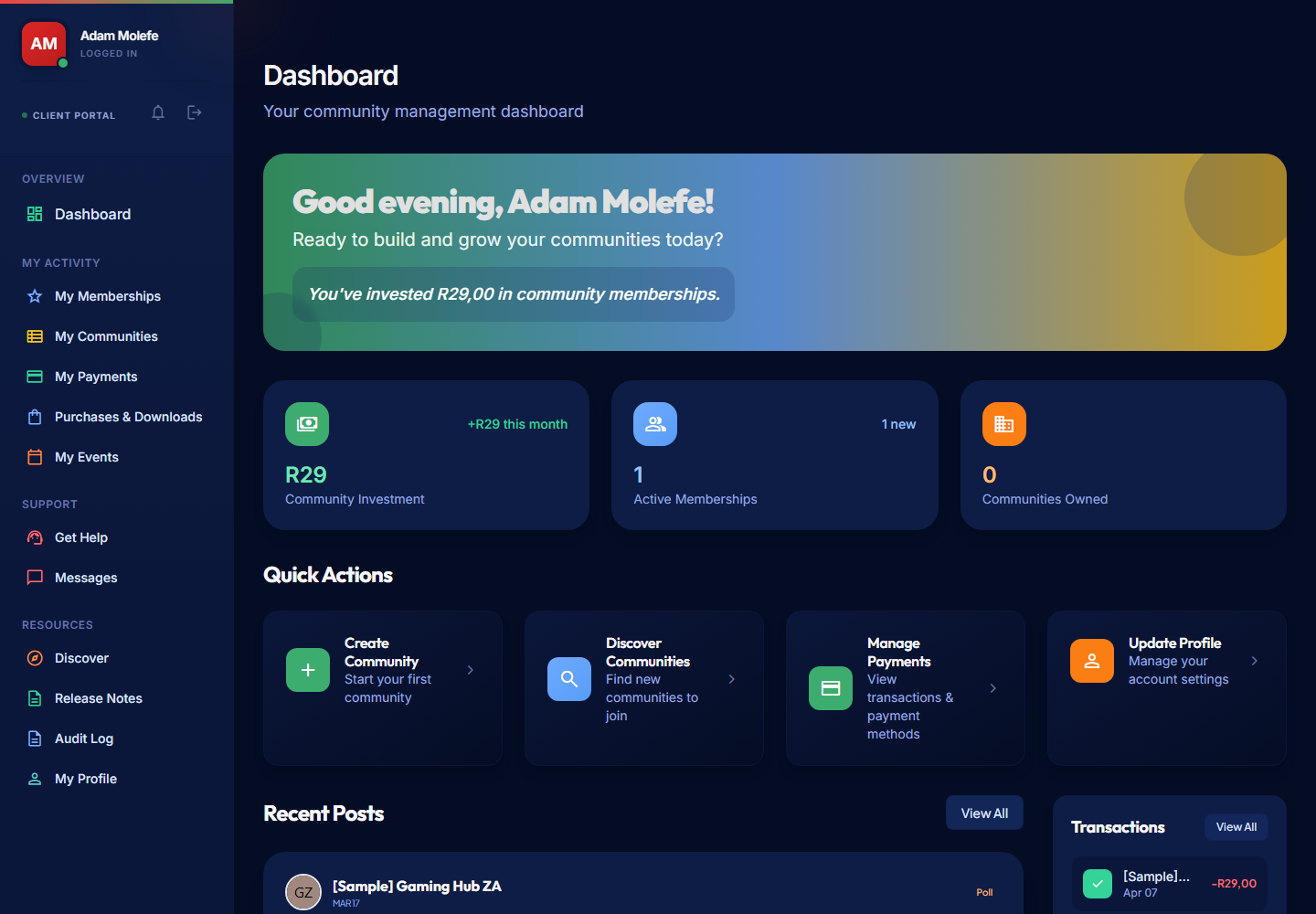
What You See First
- Account summary cards — active memberships, recent spend, communities you belong to.
- Recent posts from communities you've joined.
- Recent transactions — your latest payments and adjustments.
- Recent purchases — your store orders.
- Quick actions — jump to memberships, payments, events, or support.
If creators in communities you've joined are live-streaming right now, you may also see a Live Now strip — currently live communities on Twitch, Kick, or YouTube.
Use It Well
- Glance daily, act weekly. The dashboard is a status check, not a do-everything page.
- Open My Memberships when you want to change tier, cancel, or accept a pending gift.
- Open My Payments when you want to review a charge or download a receipt.
- Open Support when something needs PayBru's help.
What the Dashboard Doesn't Do
- It's not the full content library — go to a community's page for the full feed.
- It's not the checkout flow — that runs through Paystack on the community page.
- It's not where you change creator settings — those live in your Manage Portal if you own a community.
Tips
- Bookmark the dashboard so you can sign in straight to it.
- Check the dashboard before reaching for support — most "where do I find X" answers are one click away from Quick Actions.
- Use the search bar in the sidebar to jump to a specific community or feature.