Managing Your Membership
Membership status affects PayBru content access and any Discord roles connected to that tier.
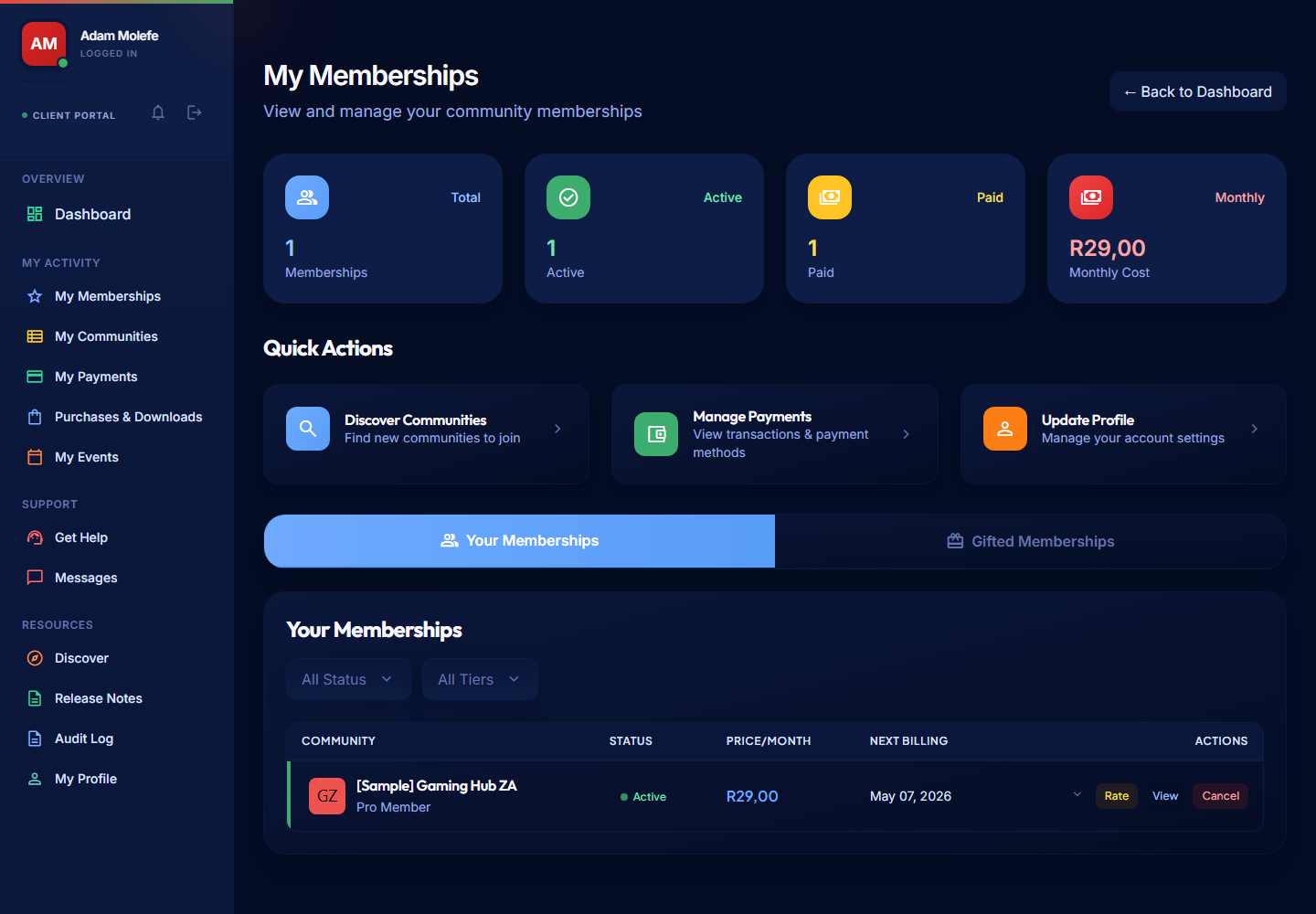
You control your memberships from My Activity > My Memberships in the Client Portal.
Viewing Active Memberships
Open My Activity > My Memberships to see:
- The communities you belong to.
- Your current tier and the price you're paying.
- Your subscription duration (monthly, or a prepaid 3/6/12-month block) and the next renewal date.
- Discord role status, if Discord is connected to the community.
- Whether the membership is Active, Past Due, Canceled, or Ended.
Upgrading or Downgrading
- Open the membership from My Activity > My Memberships.
- Select Manage or open the community tiers.
- Choose the new tier.
- Confirm the change.
- Upgrades apply immediately. The new price applies from the next billing cycle.
- Downgrades keep your current access until the end of the cycle, then the lower price applies from the next cycle.
If a tier has changed price since you subscribed, your existing subscription stays on the price you signed up at until you upgrade, downgrade, or your subscription ends and you resubscribe.
Cancelling a Membership
- Open the membership from My Activity > My Memberships.
- Select Cancel Membership.
- Confirm the cancellation.
Your access continues until the end of the period you've already paid for, then your status moves to Ended. Linked Discord roles are removed when the membership ends.
PayBru doesn't currently support pausing a membership — cancel and resubscribe when you're ready.
Membership Statuses
| Status | What it means |
|---|---|
| Pending | Initial state before the first payment confirms. |
| Active | Payment successful, full access granted. |
| Past Due | Renewal failed — access continues during the 6-day grace period while reminders are sent. |
| Canceled | You cancelled — access continues until the end of the paid period. |
| Ended | The grace period lapsed, or the paid period reached its end. Access is removed. |
| Gifted (Pending) | A gift is waiting for the recipient to accept it. |
Failed Payments
- Failed renewals change your status to Past Due.
- Access continues for 6 days while you sort it out.
- Reminders go out on day 1, day 3, and day 5.
- PayBru doesn't silently retry — update your card under Resources > My Profile > Payments, then retry the payment from My Activity > My Memberships.
See Failed Payments and Access Changes for the full flow.
Gift Memberships
- Pending gifts show in My Memberships with a 30-day acceptance window.
- After 30 days, unaccepted gifts expire and PayBru refunds the giver.
- Accepted gifts don't auto-renew — when the gifted period ends, your access ends unless you subscribe yourself.
See Gifting Memberships.
Rating a Community
If your membership is Active, you can leave a rating from My Memberships. Ratings help other South African members find communities worth joining. See Rating a Community.
Resubscribing
- Open the creator's page or My Memberships.
- Pick a tier and duration.
- Complete payment.
- Access and any linked Discord roles return immediately.