Understanding Billing
Cards can renew automatically. Once-off methods can start a payment, gift, tip, or store purchase, but they cannot auto-charge future renewals.
Billing on PayBru is automatic and follows the date you joined a membership. This page covers the basics — for deeper detail follow the linked pages.
How Billing Works
- First payment runs when you subscribe.
- Recurring renewals happen on the same calendar day of each month (or every 3, 6, or 12 months if the creator offers longer prepaid plans).
- All payments run through Paystack in South African Rand.
- Free tiers renew on the same cadence without any payment.
See Recurring Billing for the full renewal flow.
Which Payment Methods Renew Automatically
Only cards (Visa or Mastercard, debit or credit) can be saved and auto-charged for recurring renewals.
Other Paystack methods — like Pay-by-Bank (Ozow Instant EFT) and Capitec Pay — work for once-off payments (gifts, tips, store purchases, your first subscription) but they can't auto-charge later. If you paid your first month with one of these, you'll need to save a card before your next renewal.
Where to Check Billing
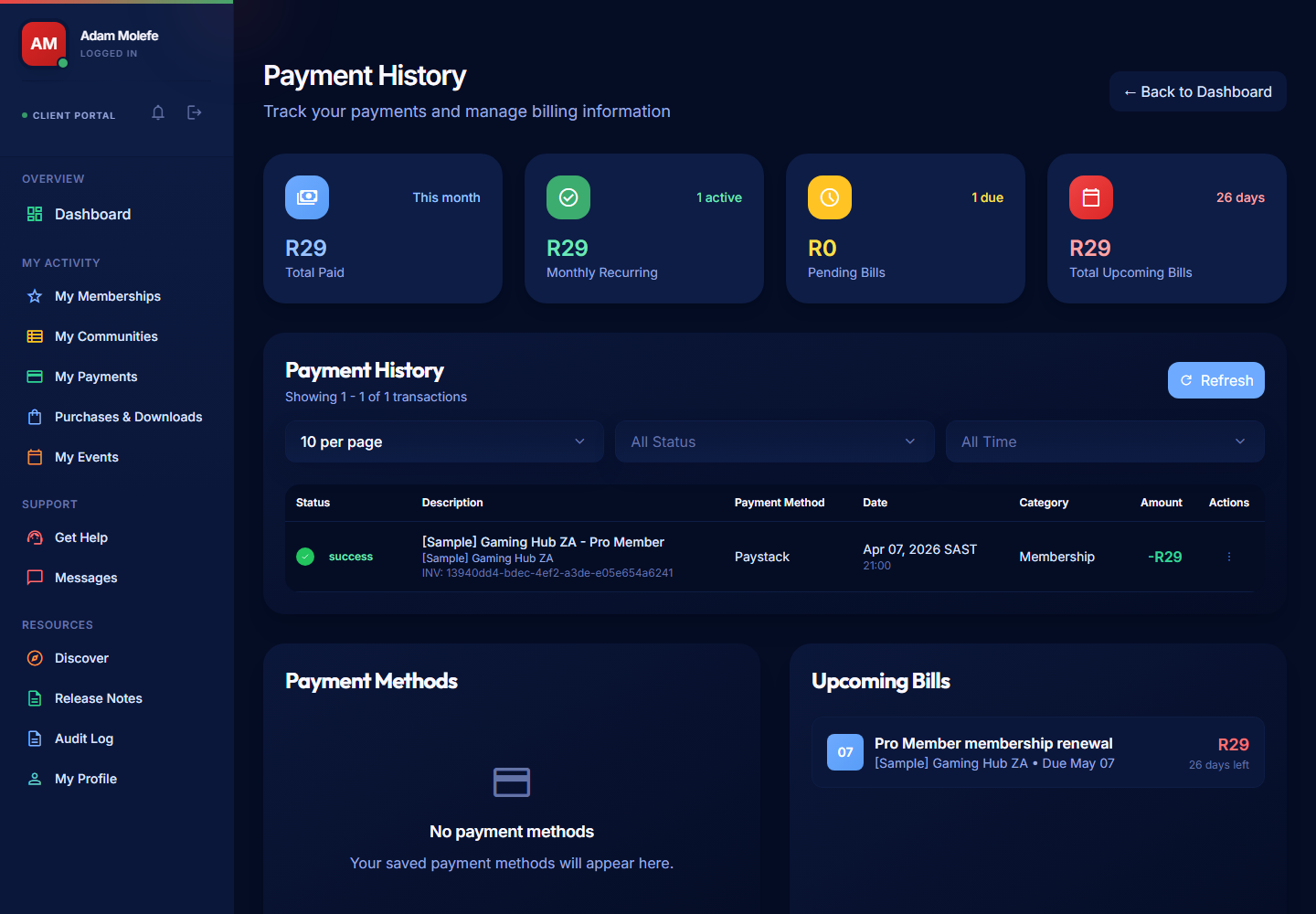
- Open My Activity > My Payments for your payment history, receipts, and renewal dates.
- Open My Activity > My Memberships to see each membership's current tier, price, and next billing date.
- Open a payment to view or download its receipt.
Failed Payments
If a renewal fails:
- Your membership status changes to Past Due.
- You keep access for a 6-day grace period while you fix the issue.
- PayBru sends reminders on day 1, day 3, and day 5 through email and in-app notifications.
- PayBru does not silently retry the same charge — you need to update your card and retry the payment.
- If the payment isn't resolved within 6 days, your membership moves to Ended and access is removed.
See Failed Payments and Access Changes.
Gift Memberships
- A gift can be sent to you by another member, anonymously or with their name.
- Pending gifts show in My Memberships and you have 30 days to accept them.
- After 30 days an unaccepted gift expires and PayBru refunds the giver.
- Gifts don't auto-renew — when the gifted period ends, your access ends unless you subscribe yourself.
See Gifting Memberships.
What to Do if Something Looks Wrong
- Open the payment record in My Activity > My Payments and check the date, amount, and tier.
- Compare against your current tier price on the creator's page (existing members keep the price they signed up at, even if the creator later raises prices).
- Contact PayBru support through Support > Get Help with the receipt number if the charge still doesn't make sense.