Managing Members
Use Manage Portal > Members for day-to-day support: spot Past Due renewals, check Discord state, and open a member record before making manual changes.
Use Members in the Manage Portal to see exactly who's in your community right now — their tier, status, billing date, and Discord state.
Open Members
- Open the Manage Portal.
- Select Members > Members.
Read the Member Summary
The cards along the top give you a one-glance health check:
- Active members — paying access is current.
- Past Due — renewal failed; they're in the 6-day grace period.
- Canceled — they've cancelled but still have access until the paid period ends.
- Ended — access has been removed.
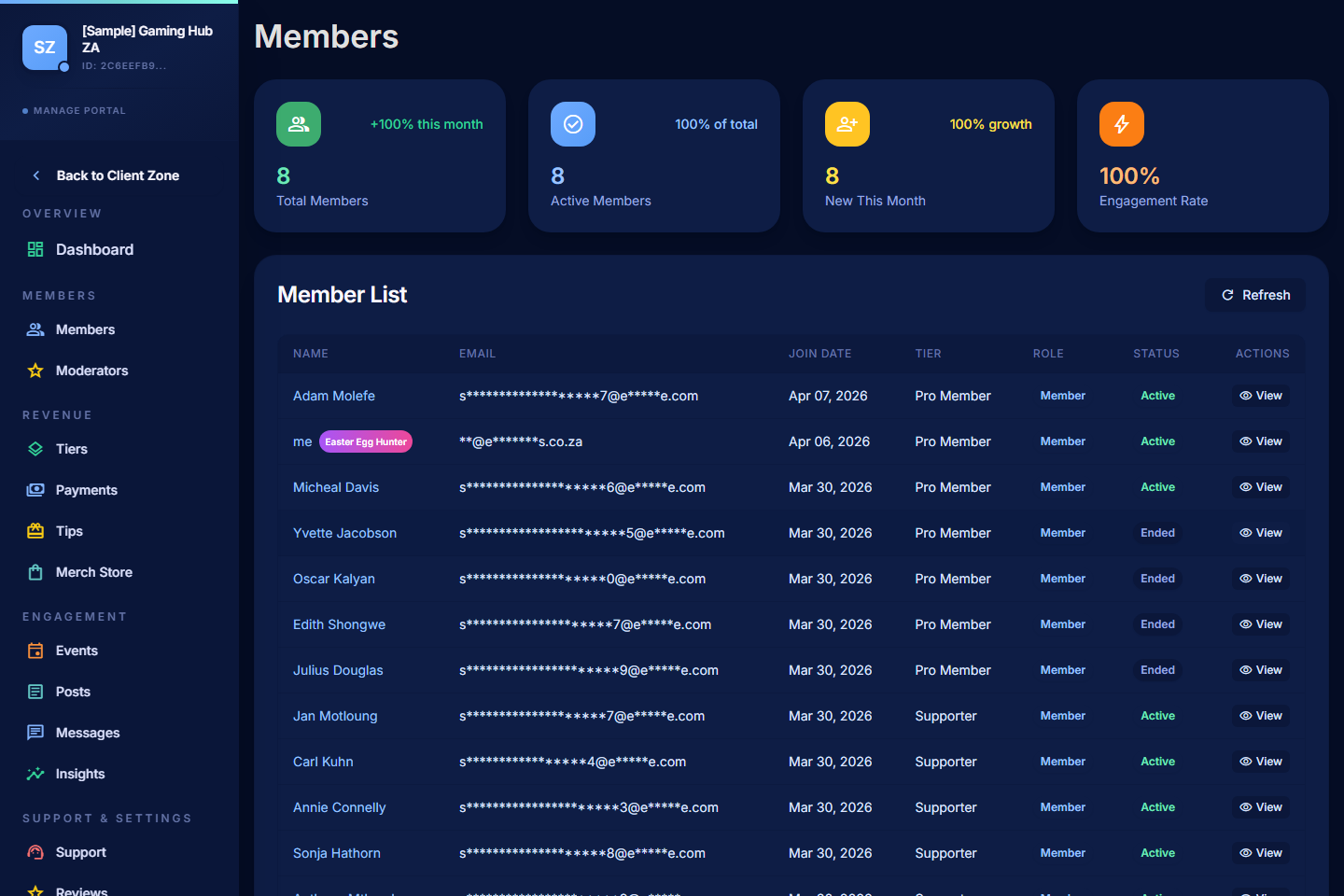
Review the Member List
The table shows each member's name, tier, status, billing date, and Discord access state.
- Search by name or email to find a specific member.
- Filter by status to focus on active, past due, canceled, or ended members.
- Sort by recent activity to find people who joined or hit problems most recently.
- Filter by tier to see who's on each membership level.
Open a Member Record
Click a member to see:
- Membership history — tiers they've been on, when they joined, upgrades and downgrades, renewals.
- Payment history — every successful and failed charge, gross and net amounts.
- Discord state — whether they've linked Discord and whether they're in your server.
- Access state — what content they currently have access to.
- Available actions — manual access adjustments, refund initiation (if appropriate), and access notes.
Troubleshoot a Member
When a member reports they can't see content or didn't get a Discord role, check in this order:
- Membership status — Active? Past Due? Ended?
- Tier — are they on the tier that unlocks the content they're asking about?
- Discord state — have they linked Discord and joined your server?
- Role mapping — does the tier have a Discord role mapped, and is the bot above that role? See Connecting Discord.
- Payment — if Past Due, point them to Resources > My Profile > Payments to update their card.
For deeper Discord help, see Common Discord Sync Issues and Troubleshooting Access.
Manual Adjustments
In rare cases — a payment that worked at the bank but didn't post to PayBru, a tier you're comping for a special reason, or a member who needs extended grace — you can manually adjust access from the member detail page. Use it sparingly and document the reason in your own records.
Member Communication
- Use Messages to start a direct conversation with one member.
- Use Messaging Members > Tier broadcasts to send an update to a whole tier at once.