Managing Reviews and Testimonials
ReviewsMember reviews are the most persuasive signals new visitors see. Approve what goes public and feature the strongest as testimonials.
Repeated themes in member reviews are the fastest signal of what's landing — and what isn't.
Member reviews are some of the most persuasive signals new visitors see on your community page. Use the Reviews area to read what members say, approve what you want public, and feature the strongest testimonials.
Open Reviews
- Open the Manage Portal.
- Select Reviews.
Read the Summary
The summary cards show:
- Pending review — feedback waiting for your decision.
- Approved — public on your community page.
- Hidden — reviews you've chosen not to publish.
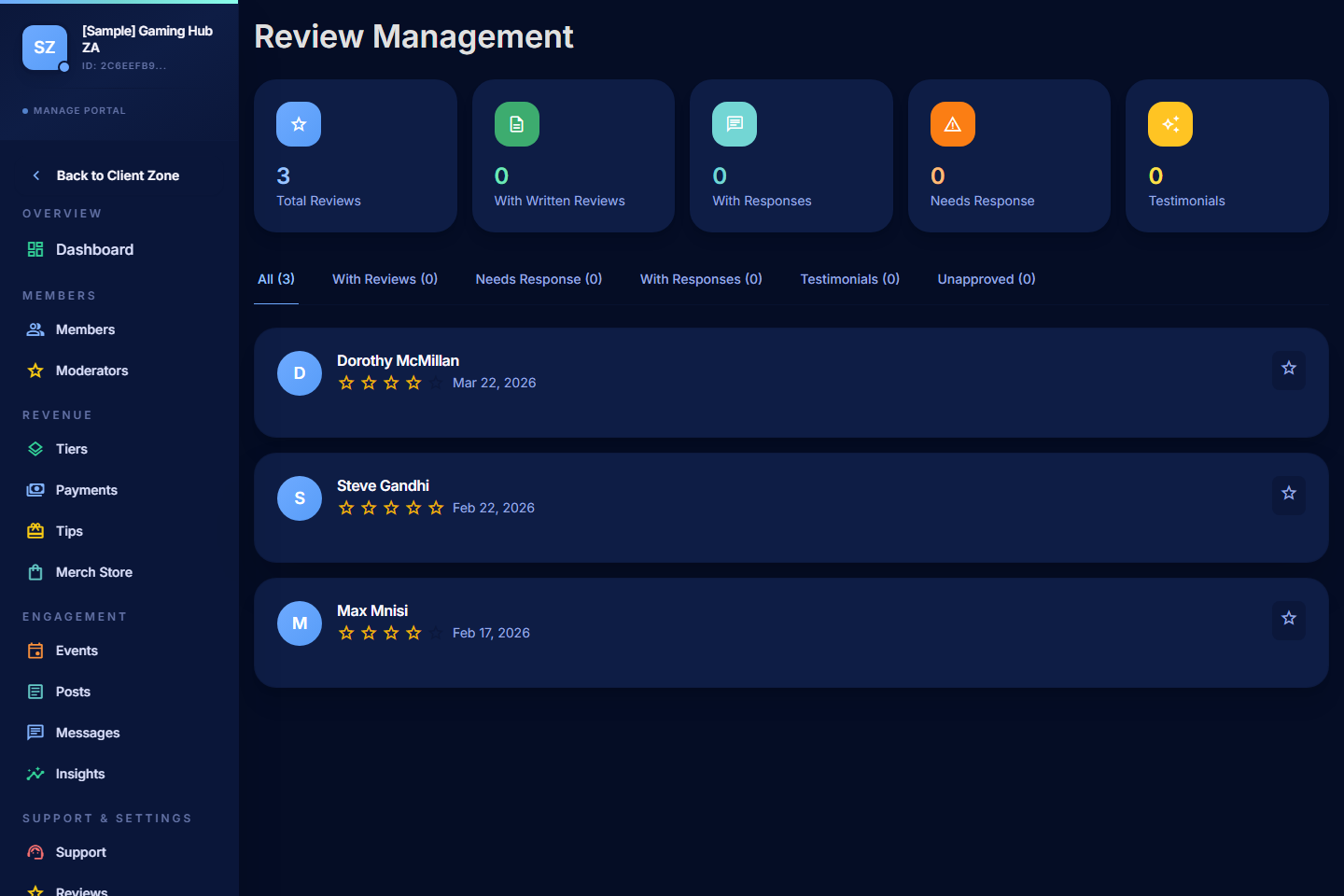
Filter Reviews
- By approval status — focus on what needs your decision.
- By rating — find the strongest reviews to feature, or the lowest to investigate.
- By date — see what's come in this month vs older feedback.
Approve or Hide a Review
- Approve a review to make it public on your community page.
- Hide a review that's spam, off-topic, abusive, or otherwise unsuitable.
- Reply to a review if you want to thank the member or add context — replies appear under the review on the public page.
A low rating is not automatically a hide-it situation. Sometimes a 3-star review with constructive criticism is genuinely useful to show that you handle feedback well.
Respond Well
- Thank the member even briefly — feedback is a gift.
- Keep responses respectful, especially when the review is critical.
- Don't argue with negative reviews publicly. If something's wrong, fix it; if it's a misunderstanding, address it once politely and move on.
- Don't share private detail in your reply — keep it general.
Feature Testimonials
PayBru can highlight selected approved reviews as testimonials on your community page. Use this carefully:
- Pick reviews that explain what your community actually offers, not just generic praise.
- Rotate testimonials every few months so the page doesn't go stale.
- Get permission if you want to use a review off-PayBru (social posts, ads). On-PayBru featuring is covered by the member's public-review choice.
Good Review Habits
- Check Reviews weekly so you spot patterns early.
- Look for repeated themes — they're the fastest signal of what's landing and what's not.
- Ask satisfied members for reviews in your messaging or post copy, but never make a review a requirement to access anything.
When to Hide vs Report
- Hide the review for content that's off-topic, low-quality, or otherwise not useful publicly.
- Report through Support > Get Help if the review breaches community standards (harassment, fraud, abuse) — hiding isn't enough in those cases.