Managing Tips
Connect tips to your stream's browser source so members see their support land live.
Tips on PayBru are sent as Brus. Each Bru is worth R50. Use the Tips area to see incoming support, share your tip page, and connect tips to your stream alerts.
Open Tips
- Open the Manage Portal.
- Select Revenue > Tips.
Share Your Tip Page
Your public tip page is a lightweight checkout that anyone can use, even if they're not a member of your community.
- Copy the public link from the Tips page and share it on stream, in your bio, or pin it in Discord.
- Members can also tip you directly from your community page.
- A typical message lets you say a quick thank-you on stream when the alert fires.
Read the Tip Summary
The summary cards show:
- Total tips collected for the period.
- Total Brus received (units of R50).
- Recent activity — the latest tips and supporter names.
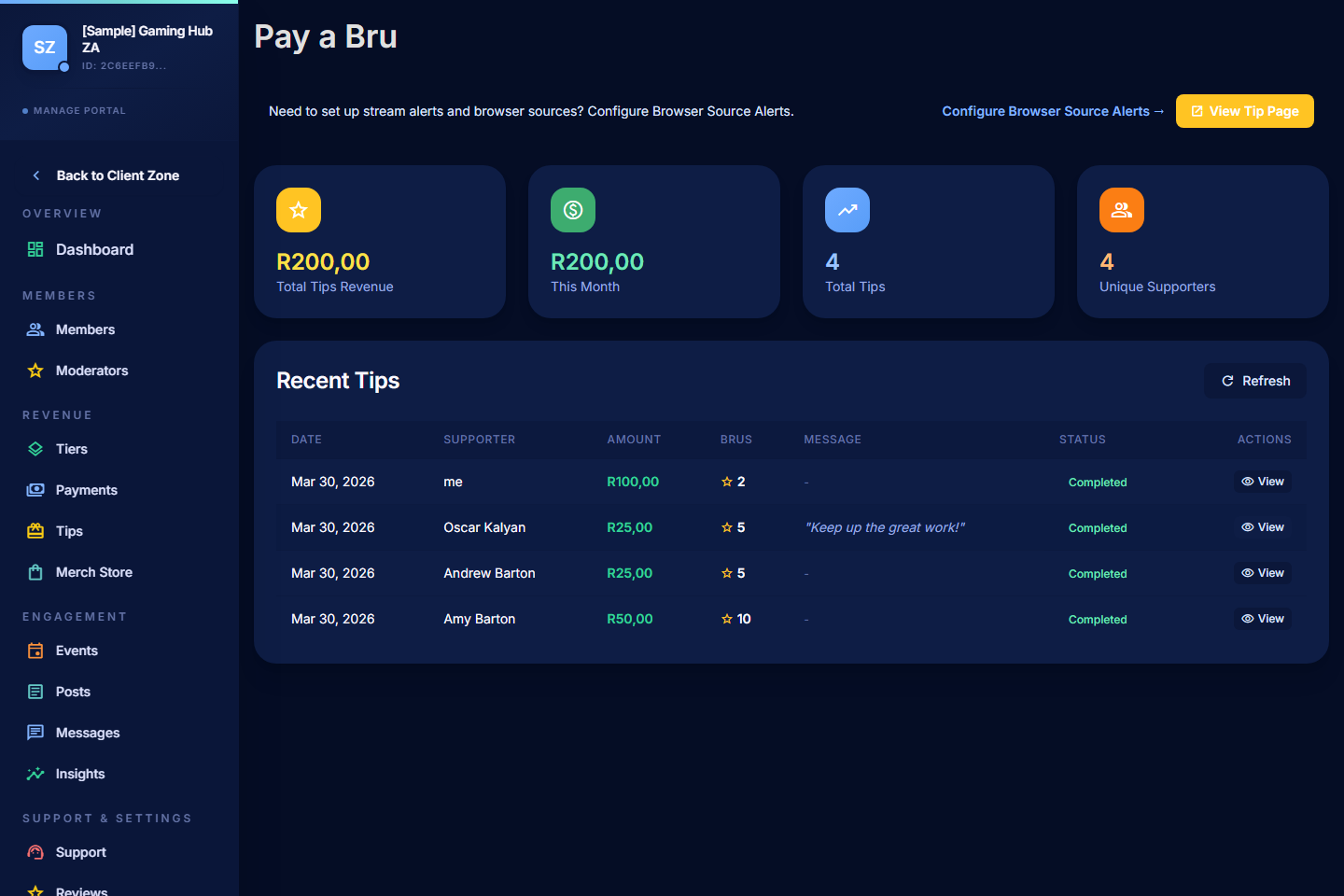
Review Recent Tips
Open a tip to see:
- Supporter name (or Anonymous Bru if they tipped anonymously).
- Amount.
- Message left with the tip.
- Date and time.
- Payment status.
Use the list to thank supporters or pull together a "shout-outs" segment for an upcoming stream.
Connect Tips to Your Stream Alerts
PayBru's browser source can fire an on-screen alert every time a tip lands. The alert can show the tipper's name, the amount, and the message — optionally read aloud with text-to-speech.
- Open Settings > Streaming & Alerts > Alerts.
- Create a browser source and tick Tips as an enabled alert type.
- Add the browser source URL to OBS, Streamlabs, or your streaming software.
- Test the alert before going live.
See Browser Source Alerts for the full setup.
Tip Fees
Tips follow the same fee structure as memberships and store sales:
- 5% PayBru platform fee.
- Paystack gateway fee. South African local cards are currently 2.9% + R1.00, excluding VAT; Pay-by-Bank methods can use different Paystack pricing.
- VAT on Paystack's processing fee.
These are deducted from your earnings, not added to the tipper's charge.