Using the Merch Store
Merch StoreSell digital downloads and physical products to your community in ZAR — one catalogue powers your community page and POS counter.
Digital first is the easiest start: no shipping, no inventory, no postal headaches.
Use the Merch Store to sell digital products (PDFs, ebooks, courses, downloads) or physical merch to your community in ZAR.
Open the Merch Store
- Open the Manage Portal.
- Select Merch Store.
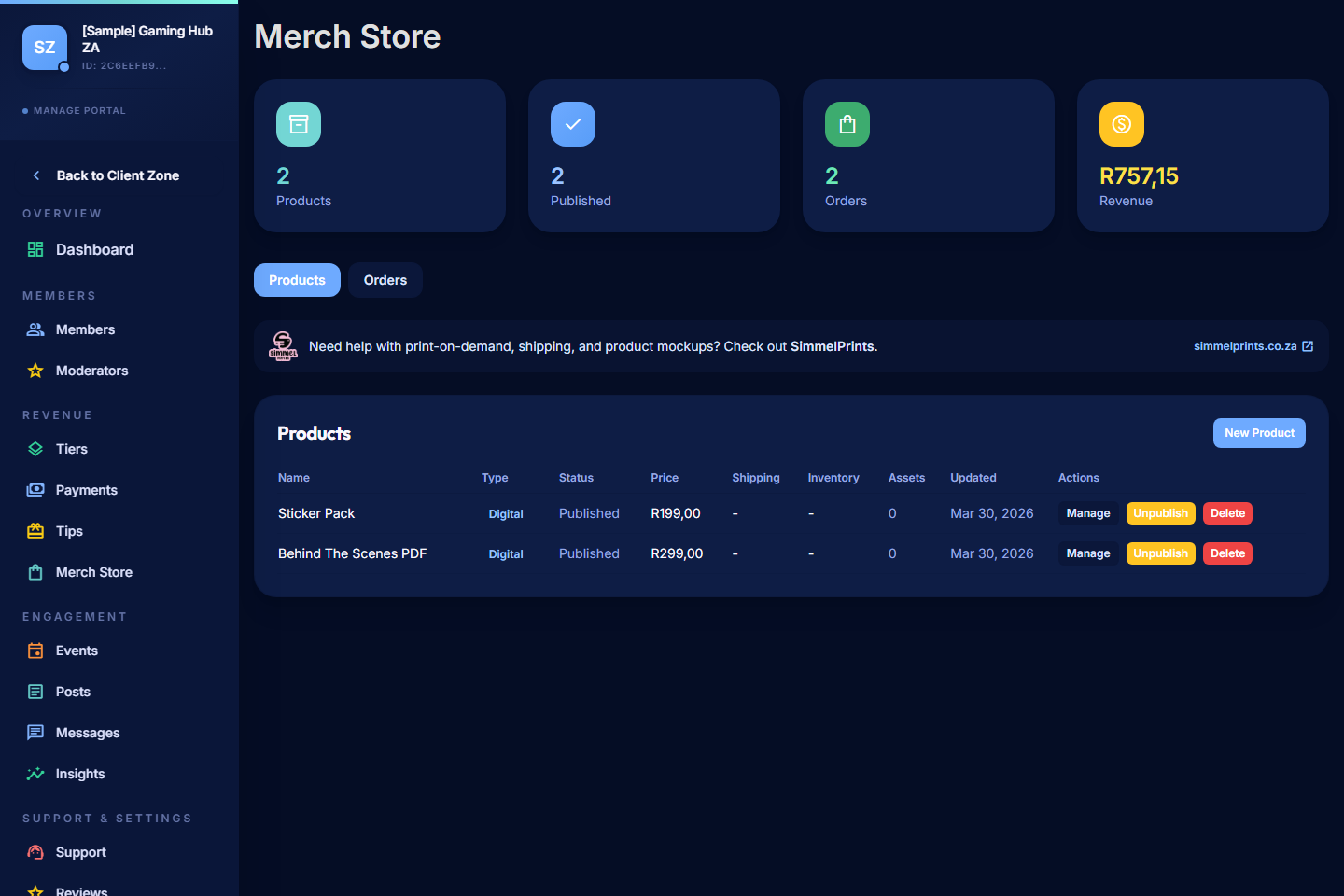
Read the Store Summary
The summary cards show:
- Active products and total catalogue size.
- Recent orders.
- Total store revenue for the period.
Add a Product
- Select Add Product.
- Enter the name, price (ZAR), and description.
- Choose the product type:
- Digital — buyers download files after purchase.
- Physical — buyers enter shipping details at checkout and you fulfil the order.
- Upload product images for the listing (the first image is the cover).
- For digital products, upload the file(s) buyers will receive.
- For physical products, set up your shipping configuration and stock levels if you track them.
- Save the product.
Pricing and Fees
Store sales follow the same fee structure as memberships and tips:
- 5% PayBru platform fee.
- Paystack gateway fee. South African local cards are currently 2.9% + R1.00, excluding VAT; Pay-by-Bank methods can use different Paystack pricing.
- VAT on Paystack's processing fee.
These are deducted from your earnings — the price the buyer sees is the price they pay.
Publish or Unpublish a Product
- Publish when the product is ready for the public listing.
- Unpublish to pause sales without deleting the product. Existing orders are unaffected.
- Keep retired items out of the main catalogue so the store stays focused.
Tier Discounts and Member-Only Products
Where supported, you can:
- Offer tier-locked products that only specific members can buy.
- Apply member discounts so paid members get a price advantage.
Review and Fulfil Orders
Open an order to see:
- The customer name and contact details.
- The product purchased, quantity, and price.
- The payment status.
- The shipping address (for physical orders).
For digital orders, the buyer can download the file from their My Activity > My Purchases area in the Client Portal as soon as the payment confirms.
For physical orders, fulfil the order yourself (post or hand over the goods) and mark it shipped. Buyers see fulfilment progress in their account.
Refunds and Cancellations
- Refunds for store orders follow the standard refund flow — see Support and Refunds.
- For digital products, consider your refund policy carefully since the file has typically already been downloaded.
Tips
- Use clear, well-lit product photos — a phone in good light is enough.
- Write descriptions that answer what the buyer wants to know (size, format, what's included).
- Test the checkout by buying your own product (or asking a moderator to) before promoting it.
- Bundle digital products to lift average order value.
See Also
- Using POS / Counter — sell the same products in person at a stall, pop-up, or event.
- Purchases and Downloads (for members)
- Billing Basics for Creators
- Managing Payments
- Support and Refunds
- South African Rand Pricing